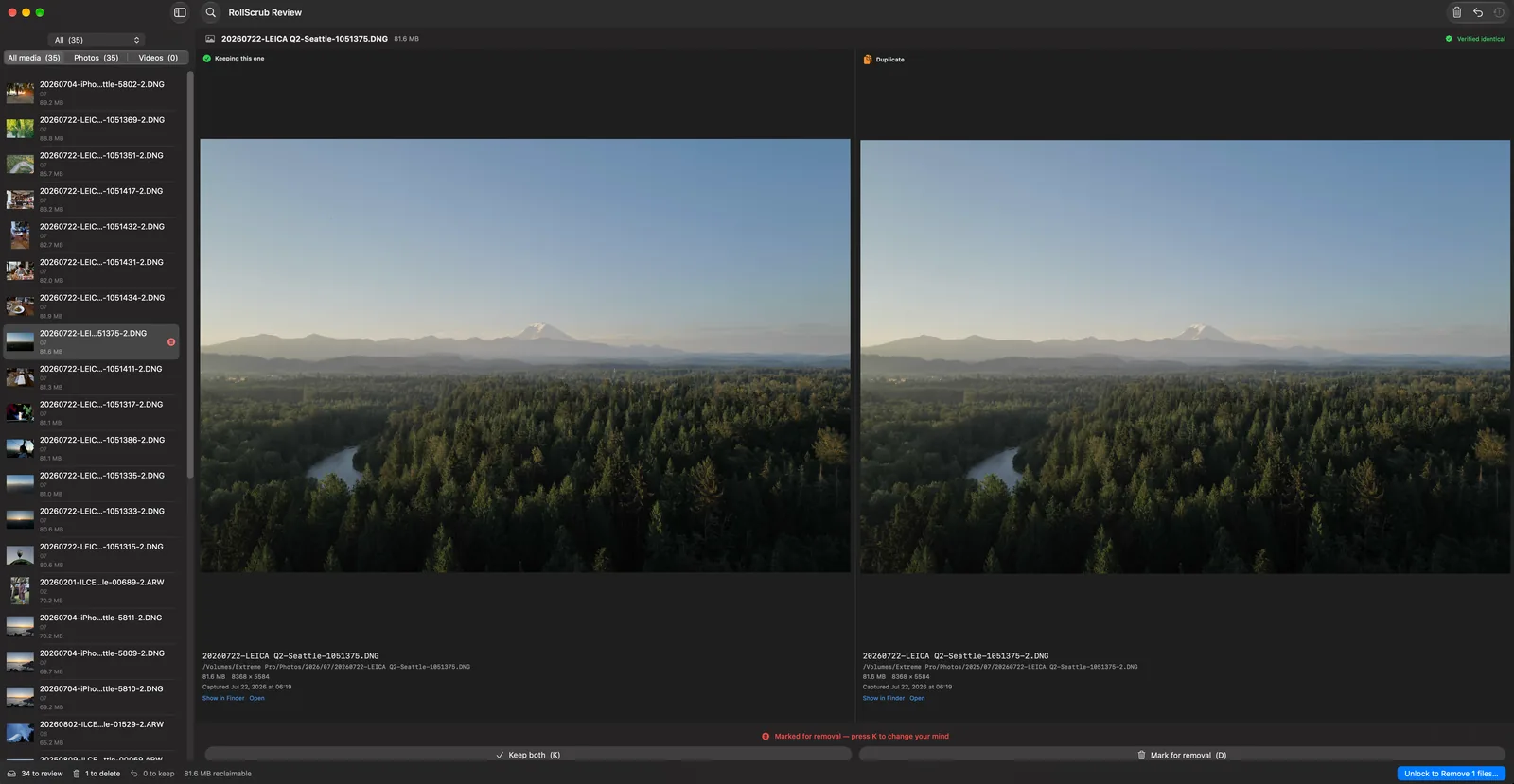
Will it catch two edits of the same photo?
No — and that's deliberate. A re-exported or re-compressed version is a different file, byte for byte, so RollScrub won't claim it's a duplicate. It finds exact copies: the same file that got duplicated into a second folder, a backup, or a drive.
If you want a tool that guesses at visual similarity, there are several. This one is built on the opposite promise.
Does it touch my Photos or Lightroom library?
No. Photos, Lightroom, Aperture and Final Cut Pro libraries are skipped entirely — RollScrub never reads or writes inside them. Each keeps your originals alongside its own generated copies under a database, so those copies are meant to be identical to files elsewhere, and removing one leaves the app pointing at a file that is no longer there. Apple's guidance is not to alter a photo library's contents in the Finder at all.
For duplicates inside Photos, use its own Duplicates view under Utilities in the sidebar — it merges them, so keywords, albums and edits survive, which a file-level tool cannot do. Lightroom has plugins that work the same way, through its catalogue.
RollScrub is for everything outside those libraries: exports, card dumps, backup drives, Downloads, iCloud Drive — where copies pile up and nothing is keeping track.
What if it's wrong?
Nothing is deleted. Files go to the Trash, where you can put them back from the Finder — and every file is re-verified against the copy being kept immediately before it moves, so a pair that has changed since the scan is left alone.
How long does a scan take?
Most of the work is thrown away cheaply: only files sharing an exact byte size are ever opened, which on a real drive eliminates the overwhelming majority before anything is read. Full byte-for-byte comparison then runs in parallel across cores, and only on the handful of genuine candidates.
What does a licence cover?
One purchase, used on up to three Macs at a time — and you can move an activation between machines whenever you like by deactivating one. It unlocks moving duplicates to the Trash.
Every 1.x update is included. If there is ever a paid 2.0, your copy keeps working exactly as it does now — nothing expires and nothing stops functioning.
Scanning and reviewing pairs are free forever and always will be. You can see everything RollScrub found before deciding whether it is worth paying for.
How do I activate my licence key?
Your key arrives in the email from your purchase, and is also on your order page. In RollScrub, choose RollScrub → Unlock Removal from the menu bar, paste the key, and that's it.
What happens when I get a new Mac?
Open RollScrub → Licence on the machine you're retiring and deactivate it. That frees the slot immediately and you can activate the new Mac straight away.
If the old Mac is already gone — sold, broken, wiped — email support@rollscrub.com and the slot will be released for you. Nobody is going to lose a licence because a hard drive died.
What if I buy it and don't like it?
Email within 30 days and you'll get a full refund, no questions asked and no explanation needed. That said, scanning and reviewing are free — so you can see exactly what RollScrub found on your own drives before spending anything.
Is it on the Mac App Store?
No. RollScrub is distributed directly and notarized by Apple, which is what lets it scan any drive you choose without the sandbox restrictions a Mac App Store build would impose on reaching your external volumes.